How to Upload Banking Details on myUNISA for NSFAS Allowance
To upload banking details on myUNISA for your NSFAS allowance, you must wait for UNISA to send a secure banking details link to your myLife email. Open that official link, enter your personal bank account details, submit the form, and keep checking your verification status.
Your bank account must be in your own name. Do not use a parent’s, friend’s, or partner’s account because it may be rejected. Find out how to Upload banking details on myUNISA for NSFAS allowance with this easy 2026 guide. Learn the required steps, documents, and avoid payment delays.
Why UNISA Needs Your Banking Details
UNISA uses your banking details to pay NSFAS allowances or refunds into the correct account. If your details are missing, wrong, or not verified, your payment can be delayed.
This is why checking your myLife email is very important. UNISA does not usually ask students to upload these details through random links or third-party websites. The safe method is to use the official secure link sent by the university.
Who Must Upload banking details on myUNISA for NSFAS?
You may need to upload banking details on myUNISA for NSFAS if:
You are a UNISA student funded by NSFAS
You qualify for an allowance or refund
UNISA sends you a secure banking details link
Your old bank account is closed
Your banking details were rejected
You have not received your allowance because details are missing
Do not submit banking details through unofficial websites. Always use your myLife email and official UNISA communication.
How to Upload Banking Details on myUNISA for NSFAS
Follow these simple steps to Upload Banking Details on myUNISA for NSFAS.
Check Your myLife Email
First, log in to your myLife email account. Look for an official email from UNISA about NSFAS allowances, refunds, or banking details. The email should contain a secure link where you can capture your bank details.
Tip: Also check your spam or junk folder if you cannot find the email..
Open the Secure Link
Click only the official link sent to your myLife email. This link takes you to the UNISA secure banking details platform. Do not use links from WhatsApp groups, Facebook comments, Telegram groups, or unknown websites.
Enter Your Banking Information
Now enter your bank details carefully.
You may need to provide:
Your account holder name should match your UNISA student details. If the name does not match, verification may fail.
Check Everything Before Submitting
Before clicking submit, check every number again.
Make sure:
A small mistake can delay your allowance.
Submit the Details
Once everything is correct, submit the form. You may see a confirmation message after submission. Take a screenshot or save proof if the system gives you a confirmation. This can help if you need to follow up later.
Monitor Your Verification Status
After submission, keep checking your email and student communication. Your details may need to be verified before payment is released.
Some students may see status codes such as:
| Status | Meaning |
|---|---|
| SM | Submitted but not verified yet |
| VI | Verified successfully |
| RJ | Rejected or not accepted |
If your status is rejected, correct the details and resubmit through the official method.
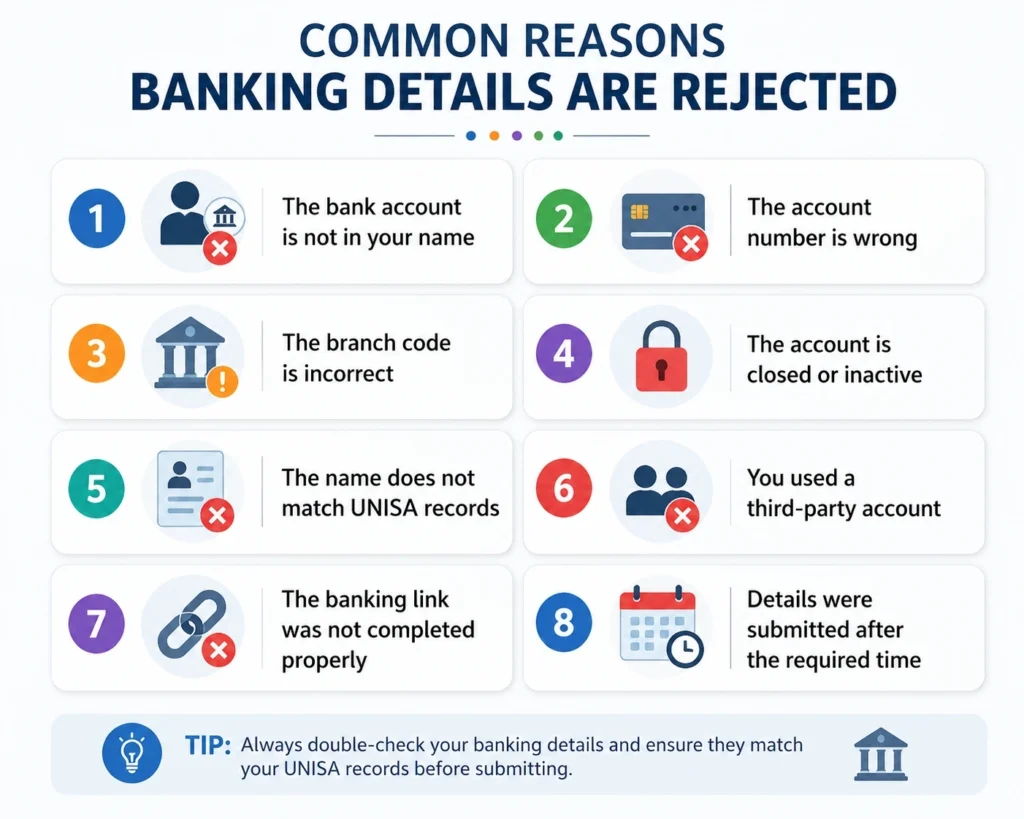
Common Reasons Banking Details Are Rejected
Your Upload Banking Details on myUNISA for NSFAS and it may be rejected because:
The bank account is not in your name
The account number is wrong
The branch code is incorrect
The account is closed or inactive
The name does not match UNISA records
You used a third-party account
The banking link was not completed properly
Details were submitted after the required time
The most common mistake is using someone else’s bank account. Even if it belongs to your parent, it may still fail because the account name does not match your student record.
What If You Did Not Receive the Banking Link?
If you did not receive the link, first check:
Your myLife inbox
Spam or junk folder
Whether your NSFAS funding is approved
Whether your UNISA registration is active
Whether your email account is working
If you still cannot find it, contact UNISA student funding support or visit your nearest UNISA regional office.
Do not ask strangers online to send you a banking details link.
When Are UNISA NSFAS Allowances Paid?
UNISA NSFAS allowance payments depend on funding approval, registration confirmation, banking verification, and university processing. Payments may not reflect immediately after you upload your bank details. If your details are still pending or rejected, your allowance can be delayed.
To avoid issues, upload your details as soon as UNISA sends the official link.
Safety Tips Before Uploading Bank Details
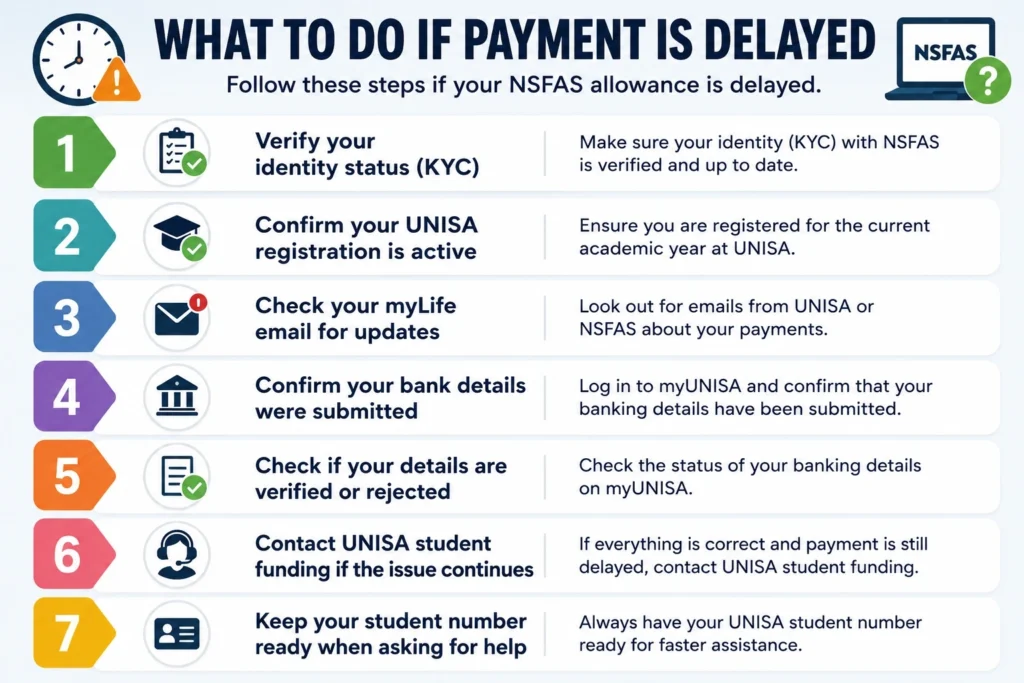
What to Do If Payment Is Delayed
If your NSFAS allowance is delayed, follow these steps:
Check if your NSFAS funding is approved.
Confirm your UNISA registration is active.
Check your myLife email for banking messages.
Confirm whether your bank details were submitted.
Check if your details are verified or rejected.
Contact UNISA student funding if the issue continues.
Keep your student number ready when asking for help.
Do not panic if payment does not arrive immediately. First check whether your banking details are verified.
Quick Checklist
Before submitting, make sure:
| Checklist | Status |
|---|---|
| myLife email checked | Done |
| Official UNISA link used | Done |
| Bank account is in your name | Done |
| Account number is correct | Done |
| Branch code is correct | Done |
| Account is active | Done |
| Screenshot saved | Done |
| Verification status checked later | Done |
FAQs About Upload Banking Details on myUNISA for NSFAS
Conclusion:
Upload Banking Details on myUNISA for NSFAS allowance is simple, but you must follow the safe process. Wait for the official secure link in your myLife email, enter your own bank account details, check everything before submitting, and monitor your verification status.
The key rule is simple: use only official UNISA communication and make sure the bank account belongs to you.