NSFAS Login Guide 2026: Access Portal, Fix Errors & Updates!
The NSFAS login portal is the main place where South African students manage their funding online. Through your myNSFAS account, you can apply for financial aid, track your application, upload documents, update contact details, check payment updates, and view important messages from NSFAS.
For many students, the portal can feel confusing when the page is slow, the OTP does not arrive, or the status does not change for a long time. This guide explains how to use the NSFAS login portal, create an account, fix common login problems, and check your funding status in a simple way. NSFAS Login Guide 2026: Learn how to access your my NSFAS account, fix login errors, reset passwords, check application status and funding updates.
What Is the myNSFAS Login Portal?
The myNSFAS portal is the official online account system for students who apply for NSFAS funding. Instead of visiting an office, students can use the portal to manage most funding tasks from a phone, laptop, or computer.
You can use your NSFAS account to:
Submit a funding application
Track your application status
Upload missing documents
Update your phone number or email
Check funding messages
View allowance and payment-related updates
Download important funding documents
Reset your login details
Your myNSFAS profile is important because NSFAS uses it to communicate with you during the application and funding process.
Why Students Should Log In Regularly
Logging into your NSFAS account is not only for checking whether you are approved. It also helps you avoid delays.
You should log in often to see if NSFAS needs extra documents, if your application status has changed, or if your contact details are still correct. Many students miss updates because they do not check their dashboard, email, or SMS messages on time.
A regular login can help you spot problems early and fix them before they affect your funding.
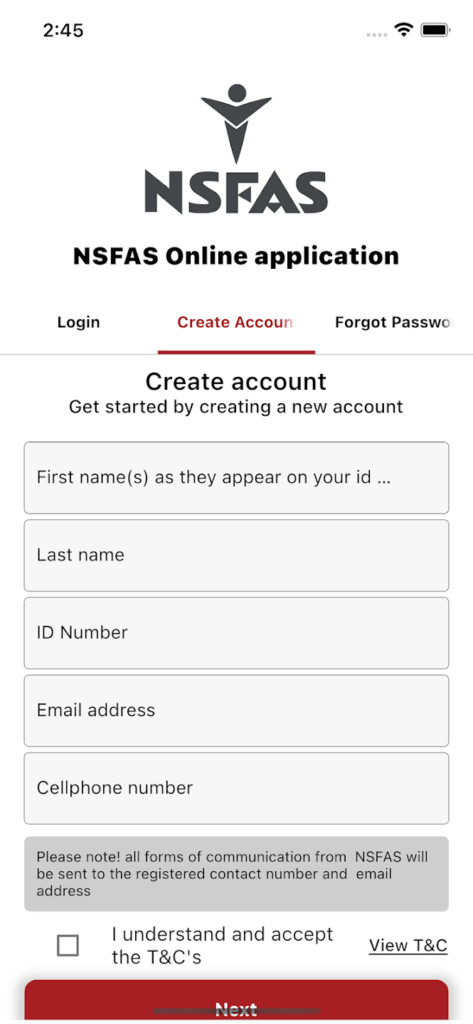
How to Create a myNSFAS Account
Before you can log in, you need to create a myNSFAS profile.
Follow these steps:
Visit the official NSFAS website.
Click on the myNSFAS option.
Choose the option to create or register an account.
Enter your South African ID number and personal details.
Add your active email address and cellphone number.
Create a strong password.
Accept the terms and conditions.
Enter the OTP sent to your phone or email.
Complete your registration.
Make sure your name, surname, and ID number match your official ID document. Wrong personal details can cause verification issues later.
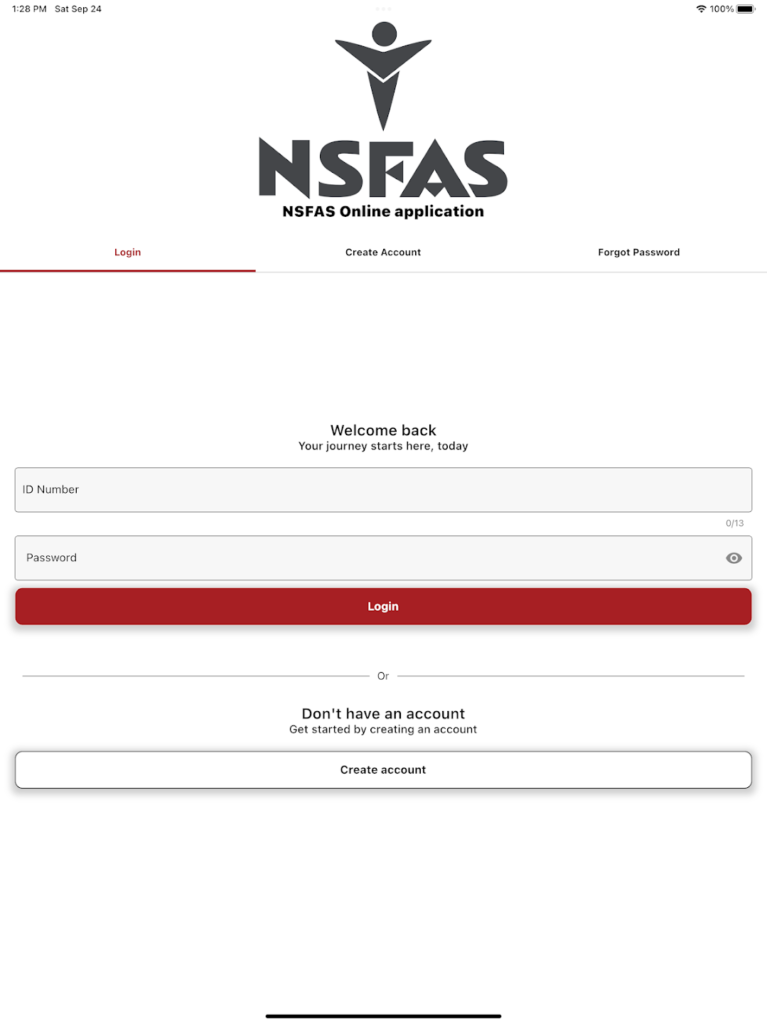
How to Log In to Your NSFAS Account
To access your myNSFAS account:
How to Log In
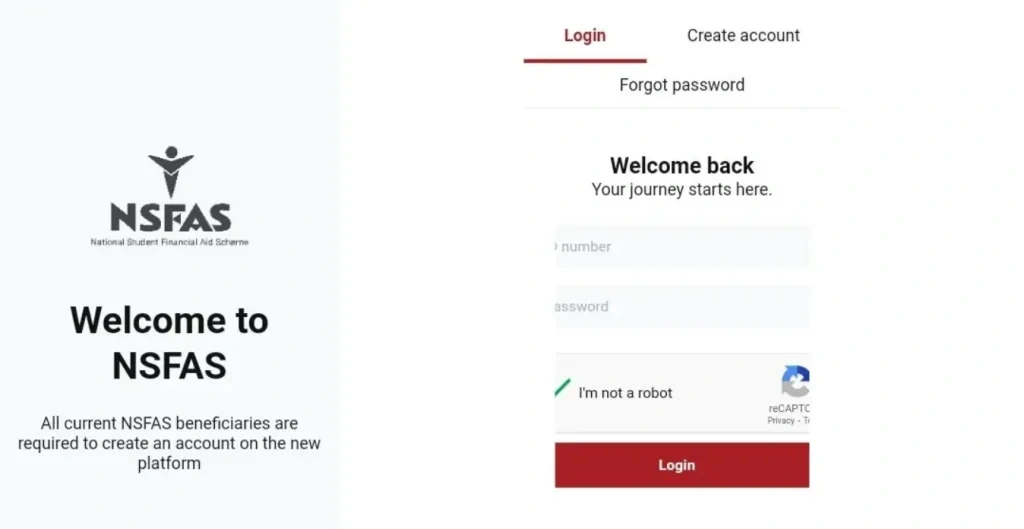
Visit the official National Student Financial Aid Scheme website.
Click on the NSFAS Login option.
Enter your registered ID number or email address.
Type your password.
Complete the security verification if required.
Select Sign In to access your account dashboard.
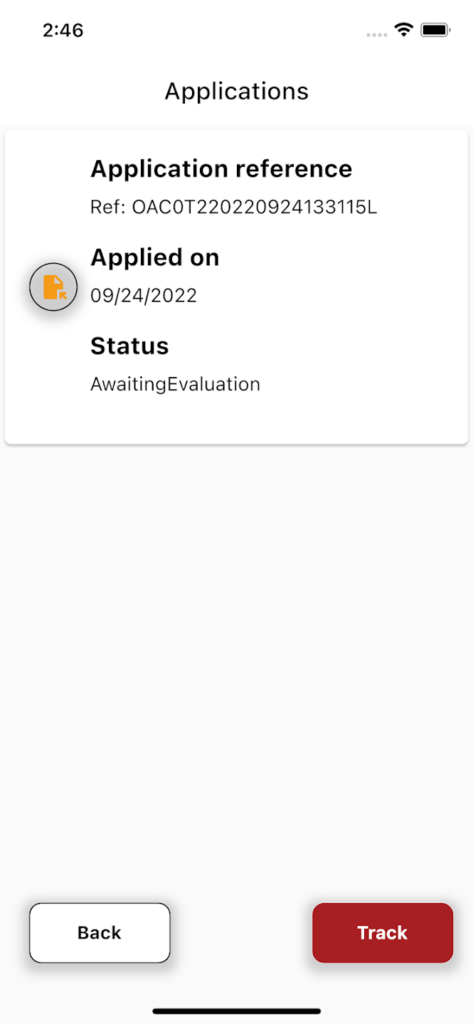
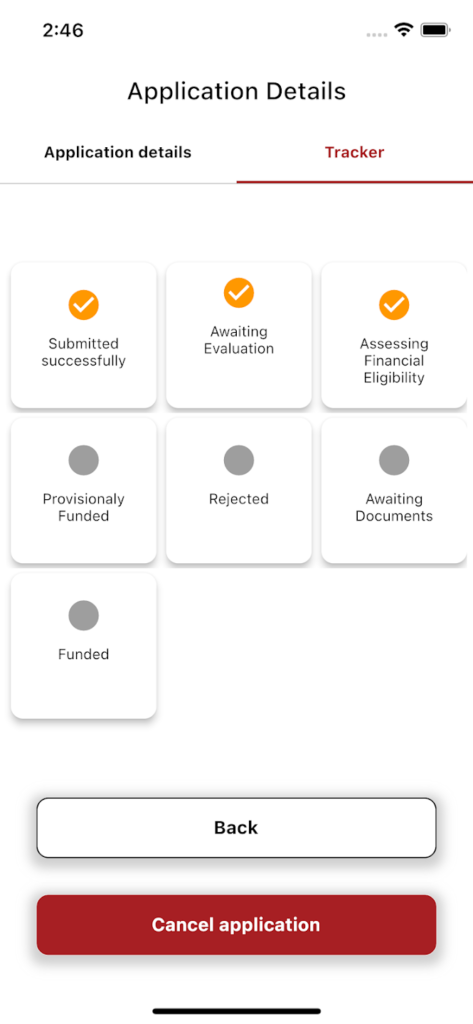
How to Check Your NSFAS Application Status
After logging in, look for the application status or application tracker section. This area shows the latest progress of your funding application.
Common NSFAS status messages may include:
Read the instruction next to your status carefully. If NSFAS asks for documents, upload them as soon as possible. If your status is unsuccessful, check whether you qualify for an appeal.
Why Your NSFAS Status Is Not Changing
A slow status update does not always mean your application has failed. NSFAS may still be checking your information.
Your status may be delayed because:
Your household income is being verified
NSFAS is waiting for academic results
Your institution has not sent updated data
SASSA, SARS, or Home Affairs checks are still in progress
The system is busy during peak application periods
You uploaded documents that still need review
The best thing to do is keep checking your portal and respond quickly if NSFAS requests anything.
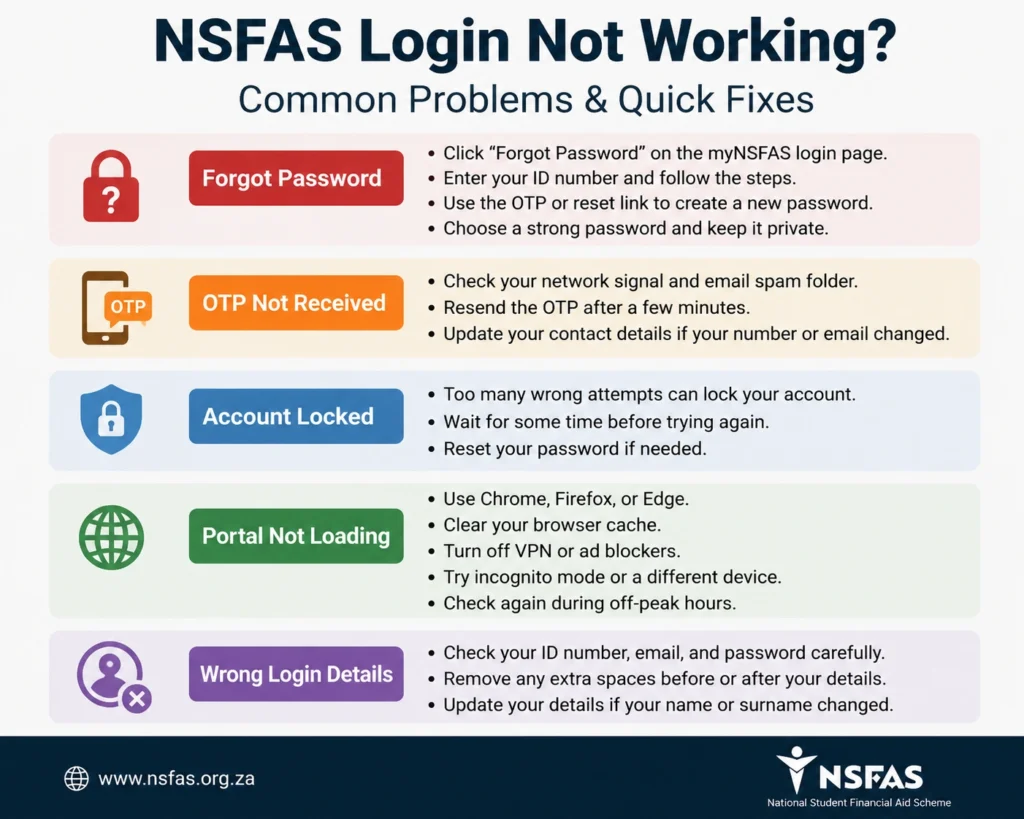
NSFAS Login Not Working? Common Problems and Fixes
Many students face login problems, especially during application season. Here are the most common issues and how to fix them.
If you forgot your password, use the forgot password option on the myNSFAS login page.
Enter your ID number, choose the reset option, receive the OTP or reset link, and create a new password. Use a strong password that you can remember, but do not share it with anyone.
If your OTP is not arriving, first check your network signal and email spam folder. You can also try resending the OTP after a few minutes.
If you changed your phone number or lost access to your old email, you may need to contact NSFAS to update your details.
Your account may be locked after too many failed login attempts. Wait for some time before trying again, then reset your password.
Avoid guessing your password many times because it can keep locking your profile.
If the portal says your details are incorrect, check your ID number, email address, and password carefully. Also make sure there are no spaces before or after your login details.
If your name or surname changed, your details may need to be updated with the correct records.
How to Upload Documents on myNSFAS
Some students are asked to upload supporting documents before their application can move forward.
To upload documents:
Log in to your myNSFAS account.
Open the document upload section.
Select the document type.
Upload a clear file.
Submit the document.
Check that the upload status shows successfully submitted.
Use clear scans or photos. Blurry, cropped, or unreadable documents can delay your application.
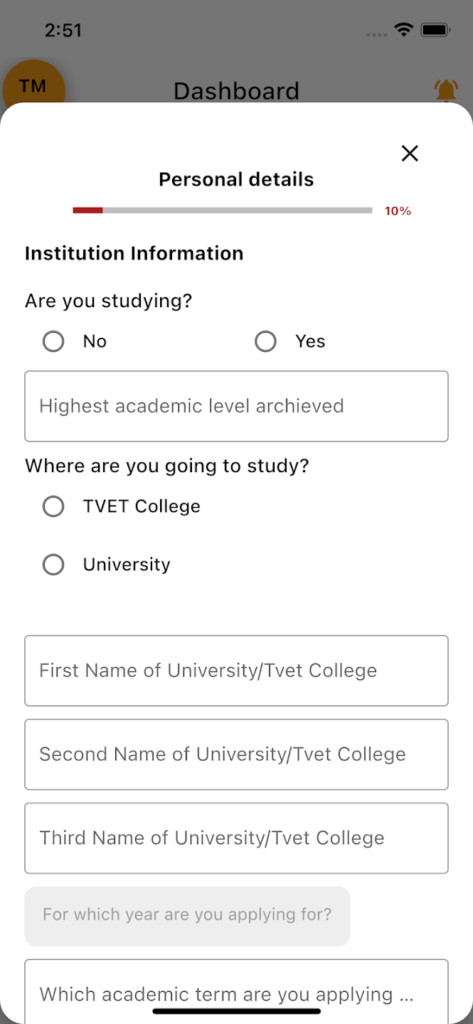
How to Update Personal or Banking Details
Keeping your details updated is very important. NSFAS may send OTPs, payment updates, and application messages to your registered phone number or email.
To update your details:
For banking details, enter the correct account information and upload proof if NSFAS asks for it. Always use your own valid bank account details where required.
NSFAS Login for Returning Students
Returning students should not ignore the portal. Even if you were funded before, you still need to check your account for updates.
Returning students should:
Funding can be affected if your academic or personal information is outdated.
NSFAS Login for SASSA Beneficiaries
SASSA beneficiaries still need to create and use a myNSFAS account. NSFAS may verify financial details faster for SASSA-linked applicants, but students must still apply, check their status, and upload documents if requested.
Being a SASSA beneficiary does not mean you should stop checking your portal.
Can You Log In to NSFAS on a Phone?
Yes, you can use your phone to access myNSFAS. Open your browser, visit the official NSFAS portal, and log in as usual. Students can also use NSFAS support options such as WhatsApp and USSD for quick updates or assistance. This is helpful if you do not have easy access to a laptop.
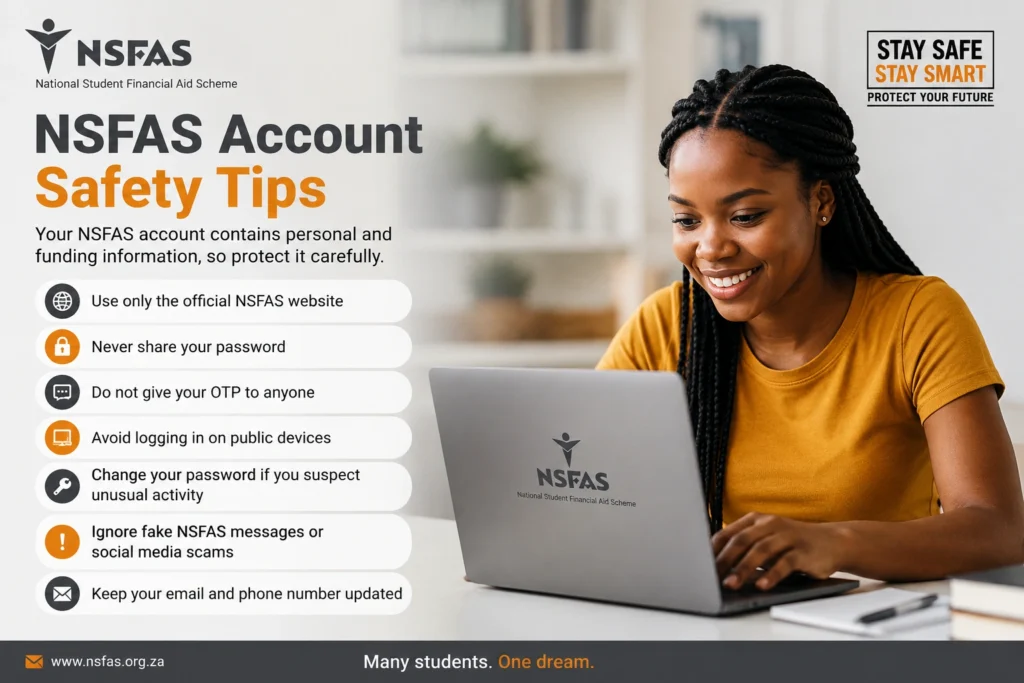
NSFAS Account Safety Tips
Your NSFAS account contains personal and funding information, so protect it carefully.
Follow these safety tips:
Scammers often target students during application season, so always double-check links before entering your details.
When Should You Contact NSFAS?
Contact NSFAS if you cannot solve the issue on your own.
You may need help if:
Your account stays locked
You cannot receive OTPs
Your old phone number is no longer active
Your application status has been stuck for months
Your portal shows incorrect information
You cannot upload documents
Your payment or allowance details look wrong
When contacting NSFAS, keep your ID number and application reference ready.
NSFAS Login FAQs
Final Words:
The NSFAS login portal is the easiest way to manage your student funding online. Whether you are applying for the first time, checking your status, uploading documents, or fixing login errors, your myNSFAS account keeps everything in one place.
If the portal is slow or your status does not change immediately, do not panic. Most problems can be fixed by resetting your password, checking your OTP, updating your details, or trying again later. Keep your account safe, check your dashboard often, and respond quickly whenever NSFAS asks for information.