NSFAS Status Check via WhatsApp and USSD: Updated 2026 Guide
Waiting for an NSFAS funding decision can be stressful, especially when the myNSFAS website is slow, mobile data is limited, or you cannot access your account. WhatsApp and USSD offer convenient ways to contact NSFAS from a phone, while the myNSFAS portal remains the main place to view detailed progress, upload requested documents, and submit an appeal.
As of July 2026, the official NSFAS contact page lists +27 63 093 5671 for WhatsApp and *120*67327# for USSD. It also lists 08000 67327 as the telephone number and info@nsfas.org.za for general enquiries. Contact details can change, so always compare information found elsewhere with the current NSFAS website before sharing personal information. Complete your NSFAS Status Check via WhatsApp and USSD in 2026. Learn updated steps, fix common issues, and track your funding status with confidence.
What Is NSFAS?
NSFAS (National Student Financial Aid Scheme) is a South African government financial aid programme that helps students from financially disadvantaged backgrounds access higher education. The scheme provides NSFAS Funding Guide support to eligible students studying at:
Instead of students paying all education costs themselves, NSFAS covers approved expenses based on the student’s eligibility and institution requirements. The main goal of NSFAS is to make education more accessible for students who cannot afford higher education costs.
Can You NSFAS Status Check via WhatsApp and USSD?
Status Check via WhatsApp and USSD are Official NSFAS communication channels, although the menus displayed may change. Depending on the available options, students may obtain application assistance, account guidance, or status-related information. Follow the instructions on your screen rather than relying on an old screenshot or menu number from another website.
Use these channels for quick help, then confirm important information in the Track Funding Progress section of myNSFAS. The official tracker shows application updates, outstanding requirements, and funding decisions.
Official NSFAS Contact Details
| Method | Official detail | Best use |
| +27 63 093 5671 | Mobile support and application enquiries | |
| USSD | 12067327# | Menu-based access without ordinary mobile data |
| Telephone | 08000 67327 | Account, application, payment, or balance help |
| info@nsfas.org.za | Enquiries requiring a written record | |
| myNSFAS | Official NSFAS website | Tracking, documents, notices, and appeals |
Status Check via WhatsApp and USSD: So, WhatsApp needs an internet connection. USSD uses a cellular network and can work on a basic phone, although the network provider may charge for the session. Neither channel replaces the secure portal when an applicant must upload evidence or complete an official action.
How to Use the NSFAS WhatsApp Number
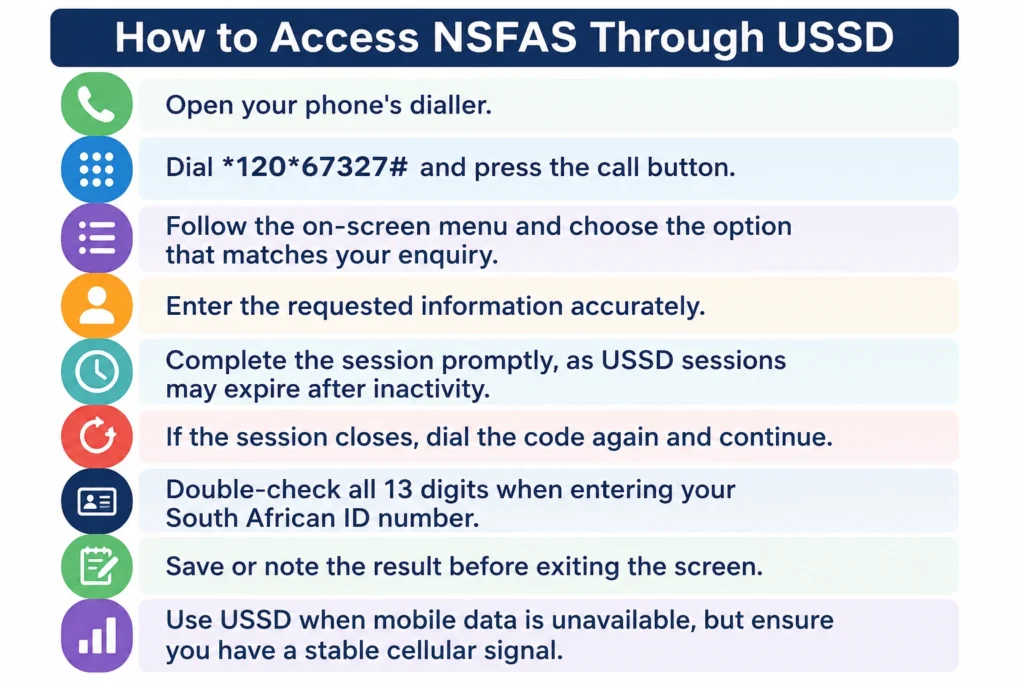
How to Access NSFAS Through USSD
Open your phone’s dialler.
Dial *120*67327# and press the call button.
Follow the on-screen menu and choose the option that matches your enquiry.
Enter the requested information accurately.
Complete the session promptly, as USSD sessions may expire after inactivity.
If the session closes, dial the code again and continue.If the session closes, dial the code again and continue.
Double-check all 13 digits when entering your South African ID number.
Save or note the result before exiting the screen.
Use USSD when mobile data is unavailable, but ensure you have a stable cellular signal.
How to Check the Full Status on myNSFAS
Visit the official NSFAS website, open myNSFAS, and sign in with the details connected to your application. Select Track Funding Progress to see updates, outstanding requirements, and the application outcome.
Use the portal to confirm submission, read document requests, review a funding decision, check registration information, or submit an appeal. When WhatsApp, USSD, and the portal appear to show different results, save the messages and ask NSFAS for clarification rather than relying on an unexplained one-line response.
Common NSFAS Statuses and Their Meanings
Wording can vary by application stage, academic year, and applicant. The explanations below provide practical guidance, but the notice in your own account should determine what you do next.
NSFAS has received the application, but funding has not yet been approved. Confirm that your contact details are correct and monitor the tracker for new requests.
The application is being assessed against the relevant requirements. Personal, financial, academic, or supporting information may still need evaluation. Do not upload the same documents repeatedly unless requested.
The application needs specified evidence. Log in, read the notification, and upload the exact document requested. Make sure the full page is visible and that names, ID numbers, dates, signatures, and stamps are readable.
NSFAS currently directs 2026 applicants who receive a supporting-document request to upload the required files through their myNSFAS accounts.
Financial, household, consent, or other eligibility information may still be checked. Review the portal for an outstanding task and respond only to the official request shown there.
Academic information or an institutional record may be pending. Check the portal first. If the delay relates to results or registration data, ask the institution’s financial-aid office whether the necessary record was submitted.
NSFAS may be waiting for the university or TVET college to confirm registration. Verify that registration is complete and that your personal, institution, and course details match the funding application.
This is a positive result, but it may not be the final administrative step. Registration, institutional confirmation, or a funding agreement may still be required. Continue monitoring myNSFAS and complete every task displayed.
A positive funding decision has been made, subject to the applicable conditions. Check the account for registration, agreement, allowance, or payment information rather than assuming that payment will appear immediately.
The application did not meet one or more requirements. Read the exact reason before appealing, and provide evidence that directly addresses it.
Some applicants may receive information about an NSFAS loan instead of a bursary. Read the agreement and repayment terms carefully. A loan should not be treated as funding with no future repayment obligation.
What to Do When a Status Does Not Change
An unchanged status does not necessarily mean your application is lost. During your NSFAS Status Check via WhatsApp and USSD, the application may still be under review or waiting for information from another organisation. Check the myNSFAS portal for any tasks, notifications, or missing document requests.
Confirm that your cellphone number and email address are correct. If the status concerns registration or academic records, ask your institution whether it has submitted the required information. Keep screenshots and record the dates of calls, emails, or WhatsApp conversations.
There is no official evidence that NSFAS updates all application statuses on specific weekdays. Checking your NSFAS Status Check via WhatsApp and USSD periodically is sensible, but repeatedly refreshing the tracker or resubmitting the same documents will not speed up the review process.
What If You Enter the Wrong ID Number?
An incorrect ID may produce an error or prevent the system from finding your application. On WhatsApp, restart the process and enter the correct number. On USSD, close the session, redial the code, and carefully type the 13-digit ID.
If the correct ID still returns “not found,” confirm that the application was submitted, check the details used to create the account, and use the myNSFAS recovery option. Contact NSFAS if the profile remains inaccessible. Never use another person’s ID to test the service.
How to Appeal an Unsuccessful Decision
Eligible applicants must act quickly. NSFAS states that an appeal should be submitted within 30 days of receiving the application result through the student’s myNSFAS profile.
Before submitting an appeal:
Read the rejection reason.
Confirm that the appeal option is available.
Prepare evidence addressing the decision.
Upload clear, complete documents.
Submit within the deadline.
Save proof of submission.
Status Check via WhatsApp and USSD may provide general guidance, but they are not the formal appeal platform.
Protect Your NSFAS Account
Fraudsters may target students waiting for funding. Use only details displayed on the official website, and never pay anyone who promises to approve an application, remove a rejection, release an allowance, or change a status.
Do not share your myNSFAS password, bank PIN, or one-time password. NSFAS warns that its officials will not call or ask applicants to reveal their passwords.
Avoid unfamiliar links sent through social media or WhatsApp. When a message seems suspicious, open the NSFAS website independently instead of following the link.
Frequently Asked Questions About Status Check via WhatsApp and USSD
Conclusion:
NSFAS Status Check via WhatsApp and USSD makes it easier to get assistance when mobile data is limited or the website is unavailable. Use the current WhatsApp number, +27 63 093 5671, or dial 12067327#, then follow the on-screen options. For complete application details and official actions, return to the Track Funding Progress section of myNSFAS.
Read every notification carefully, respond to document requests promptly, confirm your registration details with your institution, and submit an appeal within the allowed period if your application is unsuccessful. Most importantly, protect your login credentials and verify official contact information before sharing any personal details.