NSFAS Submit Documents Guide 2026: Steps and Approval Tips
Submit Documents Guide to NSFAS is one of the most important steps in securing student funding. Many applications get delayed or rejected not because students are ineligible, but because documents are missing, unclear, or uploaded incorrectly.
This complete 2026 guide explains everything: required documents, upload process, deadlines, common errors, and approval tips used by successful applicants. Learn the NSFAS Submit Documents Guide for 2026. Follow simple upload steps, avoid common mistakes, and improve your chances of faster approval today.
Why NSFAS Document Submission Is So Important
NSFAS uses your documents to verify whether you qualify for financial aid. Without proper documentation, your application stays incomplete or “Pending” even if you meet all requirements.
They verify:
Without verification, no funding decision can be made.
Full List of NSFAS Required Documents (2026 Updated)
Depending on your situation, NSFAS may request different Submit Documents Guide. Always submit only what applies to you.
Basic Required Documents
Income & Financial Proof
Special Cases Documents
All documents must be:
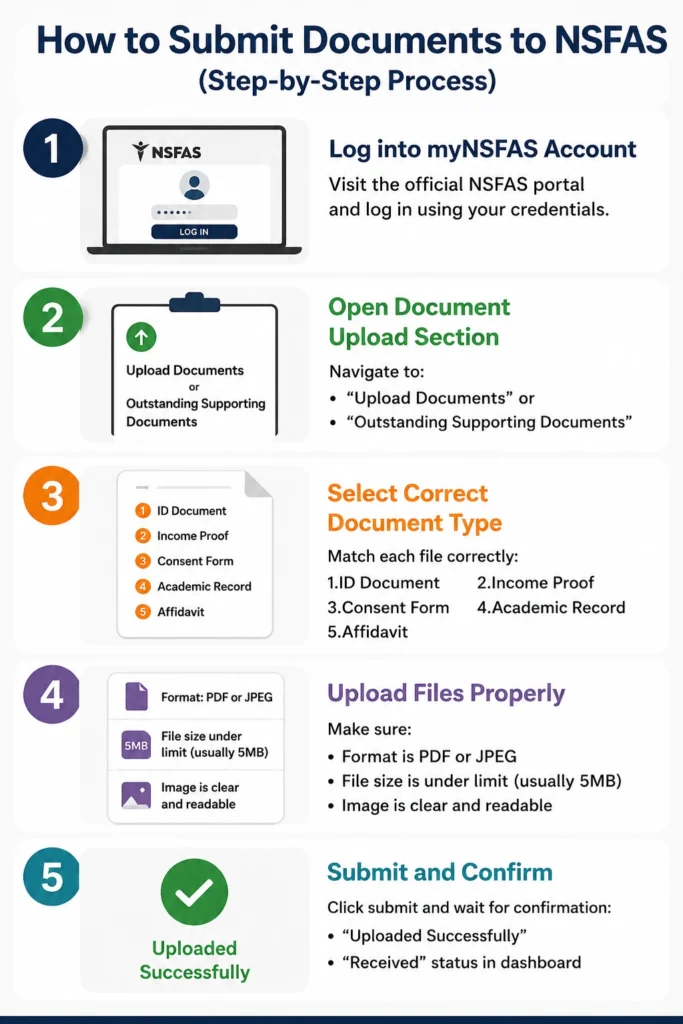
How to Submit Documents Guide to NSFAS (Step-by-Step Process)
Log into myNSFAS Account
Visit the Official NSFAS portal and log in using your credentials.
Open Document Upload Section
Navigate to:
“Upload Documents” or
“Outstanding Supporting Documents”
Select Correct Document Type
Match each file correctly:
1.ID Document 2.Income Proof
3.Consent Form 4.Academic Record
5.Affidavit
Upload Files Properly
Make sure:
1.Format is PDF or JPEG
2.File size is under limit (usually 5MB)
3.Image is clear and readable
Submit and Confirm
Click submit and wait for confirmation:
“Uploaded Successfully”
“Received” status in dashboard
NSFAS Document Upload Rules (Very Important)
To avoid rejection:
Small mistakes often cause long delays.
NSFAS Document Submission Deadline 2026
Missing deadlines can result in automatic rejection.
Late uploads are usually not accepted unless NSFAS reopens submissions.
NSFAS Document Verification Timeline (What to Expect Step-by-Step)
Understanding how long each stage takes helps you avoid unnecessary stress while waiting for approval from NSFAS.
Document Upload Confirmation
Immediately after uploading, your documents will show as “Received” on your myNSFAS portal.
Initial Screening (1–7 Days)
NSFAS checks if:
1.Files are readable
2.Correct format is used
3.All required documents are included
Detailed Verification (2–4 Weeks)
Your documents are cross-checked with:
1.Home Affairs (ID verification)
2.SARS (income checks)
3.SASSA database (grant confirmation)
Final Funding Decision
Once verified, your application moves to:
1.Funding Eligible
2.Provisionally Funded
3.Approved (final stage)
Processing time may vary depending on application volume and accuracy of your documents.
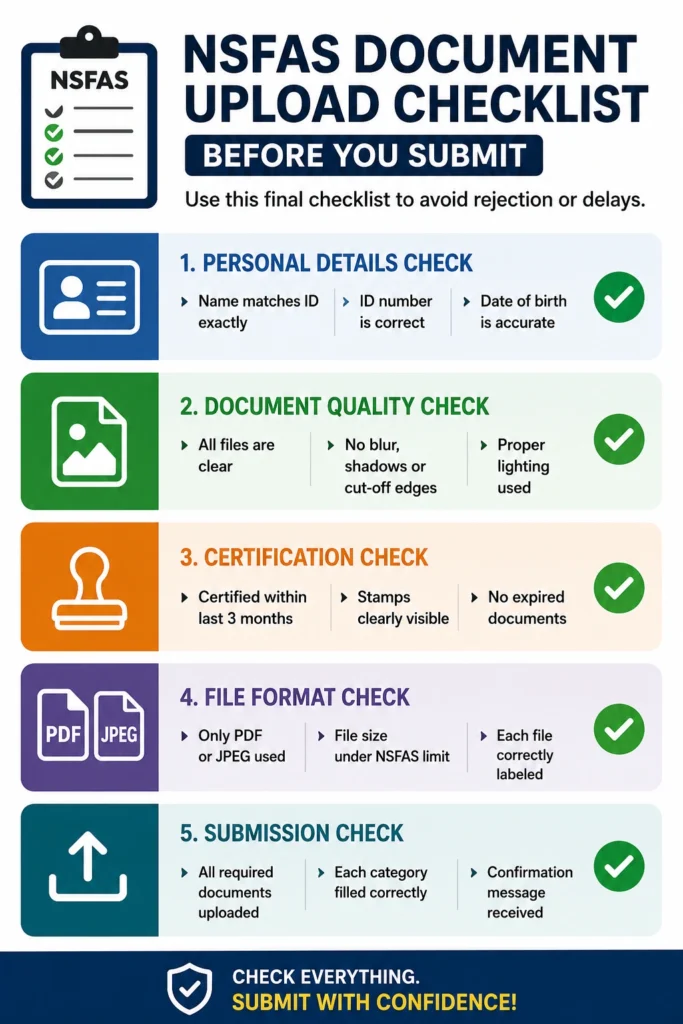
NSFAS Document Upload Checklist (Before You Submit)
Before clicking submit, use this final checklist to avoid rejection or delays.
This checklist alone significantly increases approval success rate.
How to Check NSFAS Submit Documents Guide and Status
After uploading, you can track progress using:
myNSFAS Portal
Statuses include:
1.Documents Received
2.Verification in Progress
3.Unverified
4.Funding Eligible
USSD Method
Dial: 12067327#
WhatsApp Support
Message NSFAS number with your ID for updates
What Each NSFAS Status Means
Files uploaded successfully but not checked yet
NSFAS is reviewing your documents with government systems
Something is missing or unclear
You passed verification and qualify for funding
Common NSFAS Document Upload Problems
Students often face:
File too large
Blurry images
Wrong format
Upload button not working
Internet interruptions
Expired certifications
Incorrect document uploaded
These are normal and fixable.
How to Fix NSFAS Upload Errors Quickly
What Happens After You Submit Documents
Once submitted, NSFAS follows this process:
Documents received
Identity and income verification
Cross-check with government databases
Final decision (approved, rejected, or pending documents)
If approved → bursary agreement signing
Payment processing begins
This process may take a few days to several weeks.
NSFAS Document Resubmission Rules
If your documents are rejected or marked unverified:
Delays in resubmission may affect funding approval.
NSFAS Document Submission for SASSA Students
If you receive a SASSA grant:
Income verification is usually simplified
NSFAS already checks SASSA database
Required documents may reduce to:
1.ID 2.SASSA confirmation letter
3.Consent form
This often speeds up approval.
Tips to Get NSFAS Approval Faster
Who to Contact If Documents Don’t Upload
If issues continue:
NSFAS support center
Official email support
Institution financial aid office
Always include your ID number when requesting help.
FAQs About Submit Documents Guide
Conclusion:
Submit Documents Guide to NSFAS is a critical step that determines whether your funding gets approved or delayed. By ensuring your documents are certified, clearly scanned, correctly labeled, and submitted before deadlines, you significantly increase your chances of smooth approval.
A careful upload process today means faster funding, fewer delays, and a stress-free academic journey at institutions like University of South Africa (UNISA) and other supported colleges.